

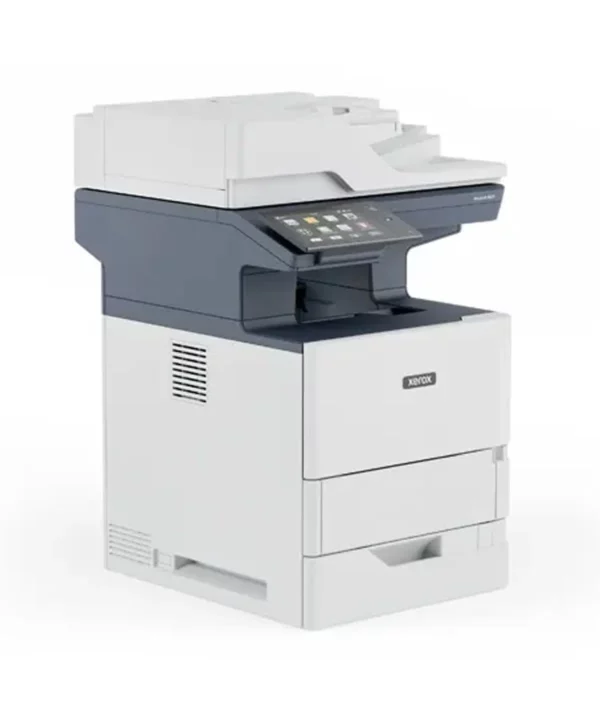

Xerox® VersaLink® B625 Multifunction Printer
The Xerox VersaLink B625 is a monochrome multifunction printer, designed for workgroups of 5 to 20 users printing high volumes, up to 300,000 pages per month. It covers copying, printing, scanning, faxing, and emailing documents, with a 7-inch touchscreen, tablet-style, to personalize and speed up everyday tasks.
Compared to its direct neighbor, the VersaLink B620, the B625 stands out for its full multifunction capabilities: the B620 is limited to printing only, while the B625 adds copying, scanning, faxing, and email. It’s the right choice if your team needs these functions in addition to printing.
Thanks to Xerox ConnectKey technology, the B625 installs easily and offers optional artificial intelligence applications, such as automatic redaction of sensitive documents and text summarization. It connects easily to Apple AirPrint, Mopria, and Wi-Fi Direct, as well as major cloud services like Dropbox, OneDrive, and Google Drive.
At D&O Partners, we install the B625 anywhere in Belgium, for private individuals as well as demanding teams who need high print volume with all functions included. Our certified technicians handle installation, and your cartridges are delivered within 48 hours. Made with more than 25% post-consumer recycled plastic and certified EPEAT, ENERGY STAR, and Green World Alliance, the B625 also reflects a responsible environmental approach.
FAQ:
What’s the difference between the B620 and the B625?
The B620 prints only, while the B625 adds copying, scanning, faxing, and email.
Does the B625 offer artificial intelligence features?
Yes, optionally: automatic redaction of sensitive documents and text summarization.
What monthly volume does the B625 support?
Up to 300,000 pages per month maximum.
Does the B625 connect to the cloud?
Yes, to Dropbox, OneDrive, and Google Drive, in addition to mobile printing via Apple AirPrint and Mopria.
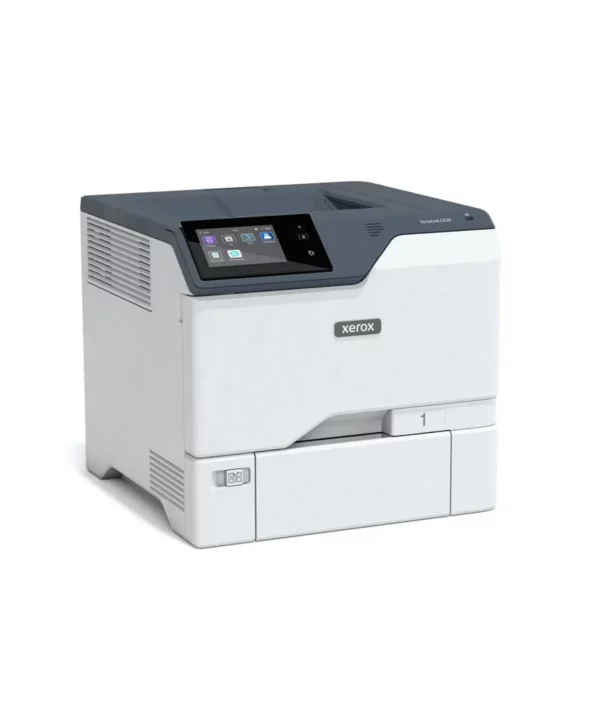
Xerox VersaLink C620 Printer – Xerox
The Xerox VersaLink C620 is a color printer, designed for workgroups of 5 to 20 users printing up to 150,000 pages per month. It offers fast print speeds, up to 50 pages per minute, with a 5-inch touchscreen, tablet-style, to personalize and speed up everyday tasks.
Compared to its direct neighbor, the VersaLink B620, the C620 stands out for color printing — the B620 being the equivalent monochrome version, faster (61 ppm) but limited to black and white. It’s the right choice if your business needs color documents on a daily basis.
Thanks to Xerox ConnectKey technology, the C620 installs easily and connects easily to Apple AirPrint and Wi-Fi Direct for mobile printing. On the security side, it includes proactive functions and integrates with Security Information and Event Management (SIEM) tools for enhanced protection.
At D&O Partners, we install the C620 anywhere in Belgium, for private individuals as well as demanding teams who need high, reliable color print volume. Our certified technicians handle installation, and your cartridges are delivered within 48 hours. Made with more than 25% post-consumer recycled plastic and certified EPEAT, Blue Angel, and ENERGY STAR, the C620 also reflects a responsible environmental approach.
FAQ:
What’s the difference between the B620 and the C620?
The B620 prints in black and white only, while the C620 is the equivalent color version.
What monthly volume does the C620 support?
Up to 150,000 pages per month recommended.
Is the C620 secure for sensitive data?
Yes, it includes proactive security functions and integrates with SIEM tools.
Is the C620 suited to a large team?
Yes, it’s designed for workgroups of 5 to 20 users.
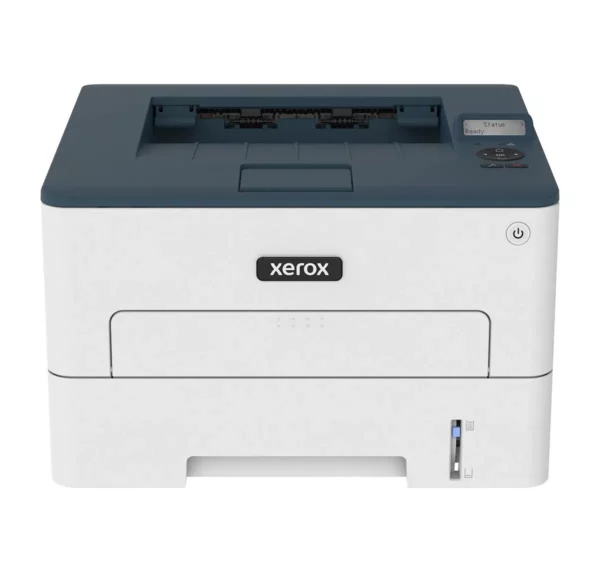
B230 Monochrome Laser Printer – Xerox
The Xerox B230 is a compact monochrome A4 printer — printing only, with no scanner or copier — built for individual workstations, tight spaces and home offices: freelancers, remote workers, professionals, satellite offices and local branches — as well as individuals or clients who want a reliable professional printer without paying for features they will never use.
A word on sizing, because it determines satisfaction: the B230 prints at 34 pages per minute, but its recommended volume is 2,500 pages per month, for a maximum cycle of 30,000 images. This is a workstation machine, not a shared departmental one. If your office prints several thousand pages a month, the B310 will be better calibrated — our advisers will tell you so before the sale rather than after the first breakdown.
Within its scope, it is complete and well built. Duplex is fitted as standard. Paper capacity is 250 sheets, with a manual feed for special media. Wi-Fi is standard (802.11 b/g/n), with Wi-Fi Direct, alongside Ethernet and USB: the machine is placed and connects, with no network cable. Mobile printing covers Apple AirPrint, Mopria and Chromebook. Setup requires no IT assistance thanks to Xerox Smart Start software, and the Xerox Easy Assist app lets you manage it from a smartphone — two arguments that count when there is no IT department in the house. It runs quietly, which is no small matter in a home office or open-plan space. Advanced security features protect your sensitive data, and high-yield toner cartridges keep running costs low.
Compared with the Xerox B225, its direct neighbour, the comparison fits on one line: the B225 is the B230 with copying and scanning. Speed (34 ppm), recommended and maximum volumes, paper capacity, standard Wi-Fi and environmental certifications are rigorously identical. The choice is therefore purely functional: if you need to scan or copy, take the B225; if you only print, the B230 does exactly the same printing job for a lower budget. And if you need fax, it is the B235 — the only one of the three to offer it, with a 2.8-inch touchscreen.
At D&O Partners, the Xerox B230 is available for purchase, rental or leasing, with installation and configuration by our certified technicians, across Belgium. Our maintenance contracts include on-site support and cartridges delivered within 48 hours. EPEAT and ENERGY STAR certified, it is covered by Xerox’s Green World Alliance programme for recycling used cartridges. A small machine at D&O is still a machine that gets followed up: same contract, same responsiveness.
FAQ:
What is the difference between the Xerox B230 and the Xerox B225?
The B225 adds copying and scanning. Everything else is identical: 34 ppm, 2,500 recommended pages per month, a 30,000-image maximum cycle, standard Wi-Fi, the same certifications. Need to scan: B225. Otherwise: B230, cheaper for the same printing job.
Can the Xerox B230 scan or copy?
No. It is a printer: its standard function is printing. To scan and copy, you need the B225; to add fax and a touchscreen, the B235.
What volume is the Xerox B230 designed for?
A recommended volume of 2,500 pages per month, with a maximum cycle of 30,000 images. It is a workstation or very small organisation machine. Beyond that, our certified technicians will steer you towards a B310, which is more durable.
Is the Xerox B230 an eco-responsible choice?
It is EPEAT and ENERGY STAR certified, its high-yield cartridges cut cost per page and waste, and it is covered by Xerox’s Green World Alliance programme for recycling used cartridges, which D&O Partners manages with you.
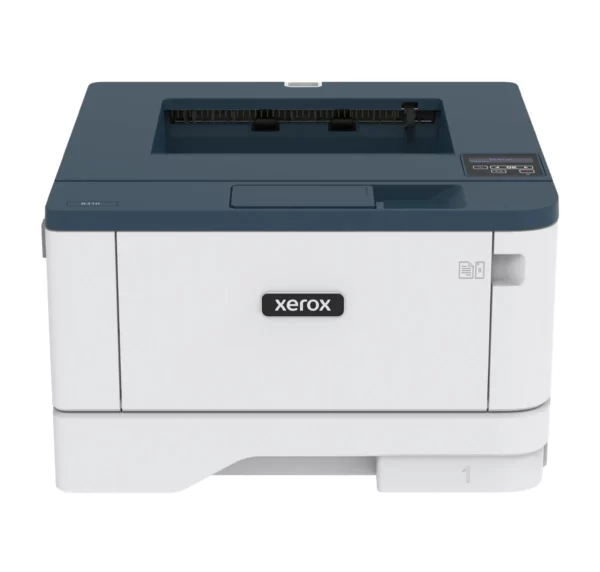
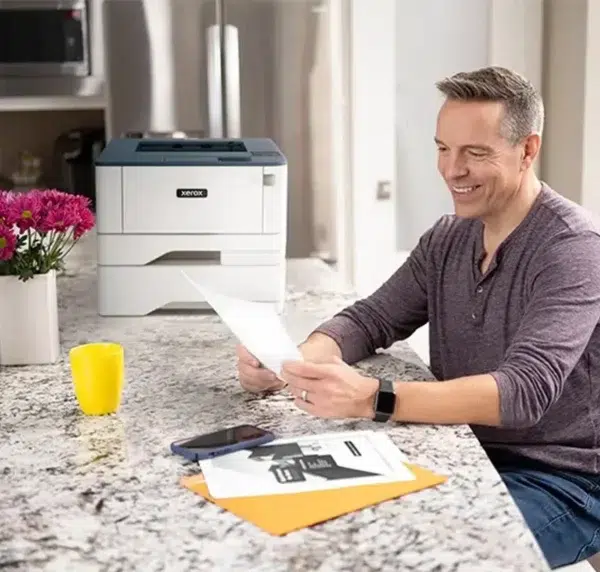
Fast and Compact B310 Black-and-White Printer – Xerox
The Xerox B310 is a monochrome A4 printer — printing only, with no scanner or copier — built for small businesses, home offices and remote workers: freelancers, professionals, small practices, local branches — as well as individuals or clients who already have a multifunction device for scanning and want a simple, fast, reliable black-and-white printer. It prints at 40 pages per minute, with a recommended volume of 6,000 pages per month and a maximum cycle of 80,000 images.
That figure of 6,000 pages deserves to be stated plainly, because it determines the machine’s lifespan: it is the regime of a small organisation, not that of a shared print department. If your office prints more, our advisers will steer you towards a more durable model — better to hear it before ordering than after the first breakdown.
Within its scope, the B310 lacks nothing. Duplex is fitted as standard. Wi-Fi is built in (802.11 b/g/n), with Wi-Fi Direct, alongside Ethernet and USB: the machine is placed and connects, with no network cable and no surcharge. Mobile printing covers Apple AirPrint, Mopria and Chromebook. Setup requires no IT support thanks to Xerox Smart Start software, and the Xerox Easy Assist app lets you manage it from a smartphone — two arguments that count when there is no IT department in the house. Advanced security features protect your data, and the Xerox Workflow Central platform is available for those who need more elaborate document management tools.
Environmentally, the B310 is among the best equipped in our office catalogue: EPEAT, ENERGY STAR, Blue Angel — Europe’s most demanding ecolabel — and Xerox’s Green World Alliance programme for recycling used cartridges. For a freelancer or SME bidding on public tenders with environmental criteria, that is a case already made.
Compared with the Xerox B305, its multifunction neighbour, the trade-off is not the one you would expect. The B310 prints slightly faster (40 ppm versus 38), but its recommended volume is a third lower: 6,000 pages per month versus 8,000. And above all, it does not scan. The real question is therefore not speed — the gap is negligible — but this one: do you need to copy and scan? If so, the B305, for a barely higher budget. If not, the B310, simpler and more compact. Note too: its colour twin, the C310, shares exactly the same volumes and the same certifications, but prints in colour at 33 ppm — if colour is useful to you, that is the one to look at.
At D&O Partners, the Xerox B310 is available for purchase, rental or leasing, with installation and configuration by our certified technicians, across Belgium. Our maintenance contracts include on-site support and cartridges delivered within 48 hours. Request a quote or come and see it in our Brussels showroom.
FAQ:
What is the difference between the Xerox B310 and the Xerox B305?
The B310 only prints; the B305 adds copying and scanning. On performance, the B310 is slightly faster (40 ppm versus 38), but its recommended volume is a third lower (6,000 pages per month versus 8,000). The real question is therefore the scanner, not the speed.
Can the Xerox B310 scan or copy?
No. It is a printer: its standard function is printing. To scan and copy, you should look at the B305 or B315, its multifunction neighbours.
What volume is the Xerox B310 designed for?
A recommended volume of 6,000 pages per month, with a maximum cycle of 80,000 images. That is the calibre of a small business or home office. Beyond that, our certified technicians will steer you towards a more durable model.
Is the Xerox B310 an eco-responsible choice?
Yes, and it is among the best certified in our office range: EPEAT, ENERGY STAR, Blue Angel (Europe’s most demanding ecolabel) and Xerox’s Green World Alliance programme for recycling used cartridges, which D&O Partners manages with you.
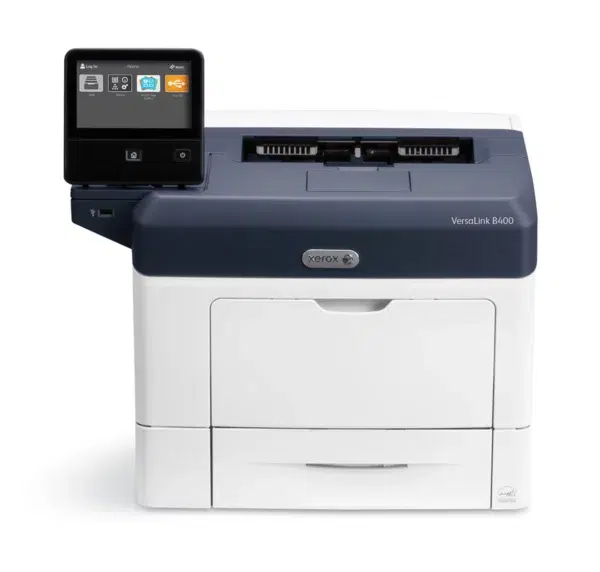
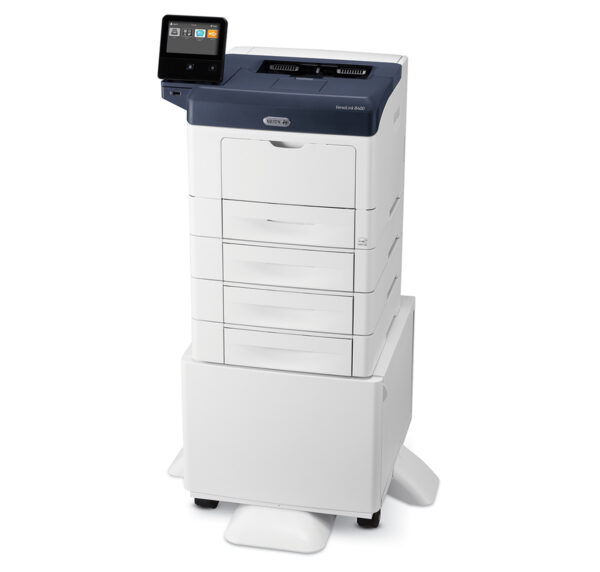
VersaLink B400 Laser Printer – Xerox
The Xerox VersaLink B400 is a monochrome A4 laser printer — printing only, with no scanner or copier — built for teams of 3 to 15 users: small organisations, firms, local branches, departments, professionals — as well as individuals or clients who already have a multifunction device for scanning and want a fast, reliable black-and-white printer. It prints at 45 pages per minute, with duplex fitted as standard.
Ease of deployment is its first argument. Setup requires no IT involvement: a point that genuinely matters when there is no IT department in the house. The interface operates like a tablet, with no learning curve. ConnectKey technology gives access to cloud services — Google Drive, Microsoft OneDrive, Dropbox — and mobile printing is natively supported via Apple AirPrint and Mopria. On the network side, the specification is complete: Gigabit Ethernet, ultra-fast USB 3.0 and NFC (tap the phone to pair); Wi-Fi and Wi-Fi Direct are added via an optional kit, with simultaneous wired and wireless connections supported. A mobile app allows remote management of the machine. Reinforced security protects against unauthorised access and ensures the confidentiality of your documents.
Compared with the VersaLink B600, the step up in our monochrome range, the trade-off is about calibre. The B600 prints at 55 pages per minute versus 45, targets groups of 8 to 15 users rather than from 3, and shows a specification documented for endurance: 700 sheets of standard paper capacity, a maximum cycle of 250,000 images per month, and finishing options — stapling and a four-bin mailbox to sort jobs. The B400 is the entry point of the VersaLink range: more compact, more accessible, sized for a small team. Our advisers will confirm the exact volumes each model supports before you order — the only way not to undersize a machine you will keep for five years.
If you need to scan on the same machine, the B405 — its multifunction twin — is the one to look at; our advisers will walk you through its specifications.
At D&O Partners, the VersaLink B400 is available for purchase, rental or leasing, with installation and configuration by our certified technicians, across Belgium. Our maintenance contracts include on-site support and cartridges delivered within 48 hours. EPEAT and ENERGY STAR certified, it is covered by the Xerox take-back programme for recycling used consumables. Request a quote or come and see it in our Brussels showroom.
FAQ:
Can the VersaLink B400 scan or copy?
No. It is a printer: it prints, with no scanner or copy function. If you need scanning, the B405 — its multifunction twin — is the one to look at; our advisers will walk you through its specifications.
What is the difference between the VersaLink B400 and the VersaLink B600?
Calibre. The B600 prints at 55 ppm versus 45, targets groups of 8 to 15 users rather than from 3, and shows 700 sheets of standard paper capacity, a maximum cycle of 250,000 images per month and finishing options (stapling, four-bin mailbox). The B400 is the entry point of the monochrome VersaLink range.
Does the VersaLink B400 have Wi-Fi?
Not as standard: Wi-Fi and Wi-Fi Direct are added via an optional kit, which supports simultaneous wired and wireless connections. As standard, it offers Gigabit Ethernet, USB 3.0 and NFC, with AirPrint and Mopria compatibility for mobile printing.
Is the VersaLink B400 an eco-responsible choice?
Yes: it is EPEAT and ENERGY STAR certified, and D&O Partners pairs it with the Xerox take-back programme for recycling your used consumables.
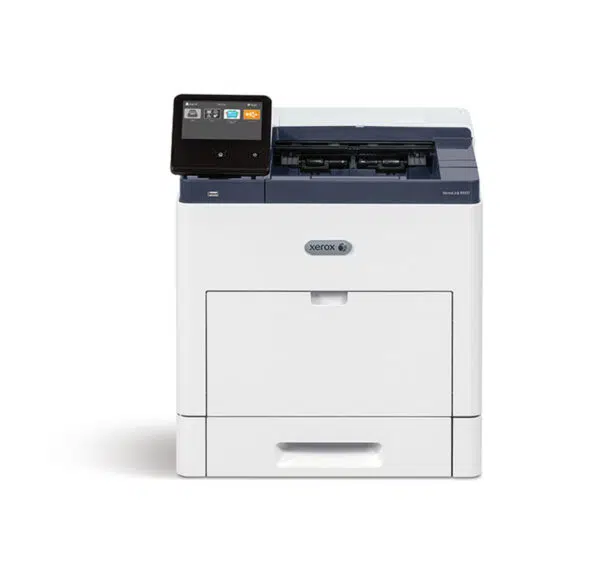
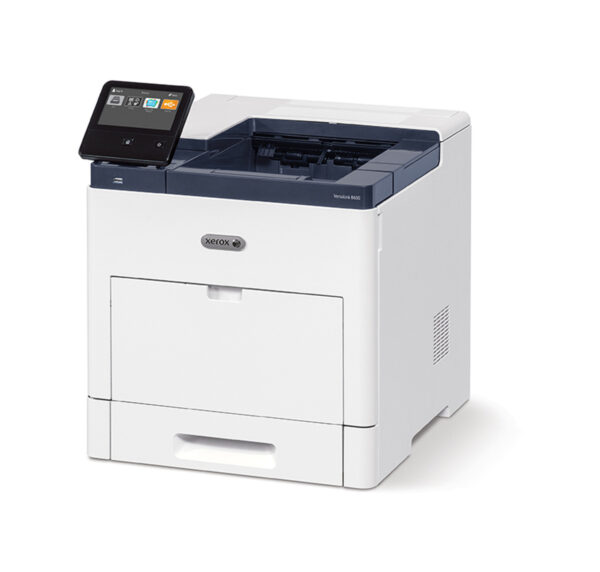
VersaLink B600/B610 Smart, Compact Printers – Xerox
The Xerox VersaLink B600 and B610 are monochrome A4 printers — printing and cloud, with no scanner or copier — built for departments producing documents in volume: law and accountancy firms, government offices, notarial practices, HR departments, back offices — as well as individuals or clients who already have a multifunction device for scanning and want a fast, durable printer built to last. The B600 prints at 55 pages per minute and targets groups of 8 to 15 users; the B610 climbs to 63 pages per minute for teams of 10 to 20 people.
Endurance is the central argument here. The B600 handles up to 250,000 images per month at maximum cycle, the B610 up to 275,000, with recommended volumes of 20,000 and 25,000 pages respectively. These are production-machine figures in an office format. The specification follows: 700 sheets of paper capacity as standard, duplex fitted from the factory, resolution up to 1200 x 1200 dpi, and a 5-inch capacitive touchscreen with tablet-style navigation, fully customisable. Paper capacity can be raised with 550-sheet feeder modules (up to four) or a 2,000-sheet high-capacity module on castors.
Two options deserve mention, because they change a department’s daily routine. The finishing module adds stapling up to 50 sheets and a 500-sheet stacker: reports and files come out ready to distribute. And the four-bin mailbox (100 sheets per bin) sorts jobs automatically by user or department — no one has to dig through a shared pile to find their printouts. A card reader for authentication and a productivity kit with a 320 GB hard drive are also available as options.
ConnectKey technology provides access to cloud services — Google Drive, Microsoft OneDrive, Dropbox — and connectivity covers Gigabit Ethernet, ultra-fast USB 3.0 and NFC (tap the phone to pair); Wi-Fi and Wi-Fi Direct are added via an optional kit, with simultaneous wired and wireless connections supported. Setup requires no IT assistance, and remote management simplifies maintenance. On security, the reinforced hardware architecture is paired with data encryption, password protection and detection of suspicious behaviour.
Compared with the VersaLink B605 and B615, the corresponding multifunction devices in our catalogue, the comparison is straightforward: it is the same engine. Identical speeds (55 and 63 ppm), the same base paper capacity, the same certifications. The B605/B615 add the scanner — copy, scan, email, fax — a 7-inch screen instead of 5, a 320 GB hard drive as standard, and handle slightly more (300,000-image maximum cycle). The B600/B610 only print, but they offer an option the multifunction devices do not: the four-bin mailbox. If your department already has a multifunction device and wants a fast, durable printer that can sort jobs, this is it. If you need a single machine that also scans, the B605 or B615 is the one to look at.
At D&O Partners, the VersaLink B600 and B610 are available for purchase, rental or leasing, with installation and configuration by our certified technicians, across Belgium. Our maintenance contracts include on-site support and cartridges delivered within 48 hours. EPEAT and ENERGY STAR certified, they are covered by the Xerox take-back programme for recycling used consumables.
FAQ:
What is the difference between the VersaLink B600 and the B610?
Speed and target audience: the B600 prints at 55 ppm for groups of 8 to 15 users, the B610 at 63 ppm for teams of 10 to 20 people. The B610 also handles slightly more (275,000-image maximum cycle versus 250,000). Screen, paper capacity and options are identical.
What is the difference between the B600/B610 and the B605/B615?
Same engine, different job. The B605/B615 are multifunction devices: they add copying, scanning, email and fax, with a 7-inch screen and a 320 GB hard drive as standard. The B600/B610 only print — but they offer a four-bin mailbox to sort jobs, which the multifunction devices do not.
What is the four-bin mailbox for?
It sorts printouts automatically by user or department, into four 100-sheet bins. On a printer shared between several people, no one has to dig through a common pile. It is an option, as is the finishing module with stapling.
Are the VersaLink B600/B610 an eco-responsible choice?
Yes: they are EPEAT and ENERGY STAR certified, and D&O Partners pairs them with the Xerox take-back programme for recycling your used consumables.
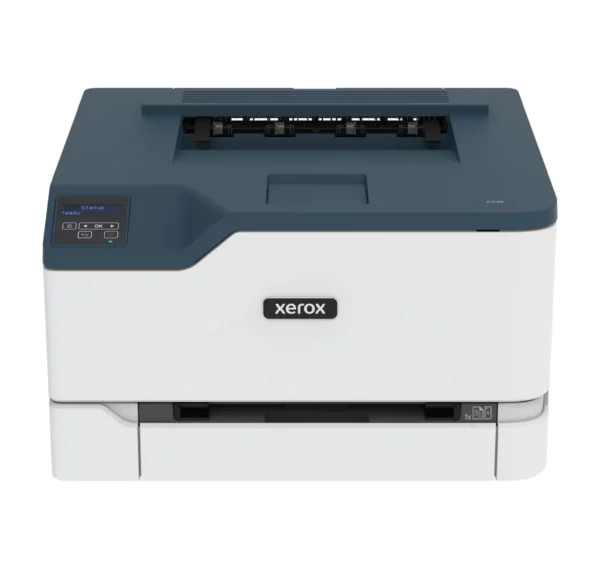

Wi-Fi Connected C230 Colour Laser Printer – Xerox
The Xerox C230 is a compact and quiet color printer, designed for home use or a small office. It’s limited to printing, with speeds up to 22 pages per minute and a recommended monthly volume of 1,500 pages.
Compared to its direct neighbor, the C235, the C230 stands out for its simplicity: no copying, scanning, or faxing, printing only. It’s the right choice if you only need to print, without the multifunction features of the C235.
Thanks to built-in Wi-Fi, it connects easily to Apple AirPrint, Mopria Print Service, and Chromebook. Installation requires no IT support, via the Xerox Easy Assist app and Xerox Smart Start software.
At D&O Partners, we install the C230 anywhere in Belgium, for private individuals as well as small teams looking for a simple, reliable device. Our certified technicians handle installation, and your cartridges are delivered within 48 hours. Certified EPEAT, ENERGY STAR, Blue Angel, and Green World Alliance, the C230 also reflects a responsible environmental approach.
FAQ :
What’s the difference between the C230 and the C235?
The C230 prints only, while the C235 adds copying, scanning, and faxing.
Can the C230 scan documents?
No, the C230 is a print-only printer. For scanning, the C235 is the equivalent multifunction version.
What monthly volume does the C230 support?
Up to 1,500 pages per month recommended, with a maximum of 30,000 images per month.
Is the C230 compatible with Chromebooks?
Yes, in addition to Apple AirPrint and Mopria Print Service

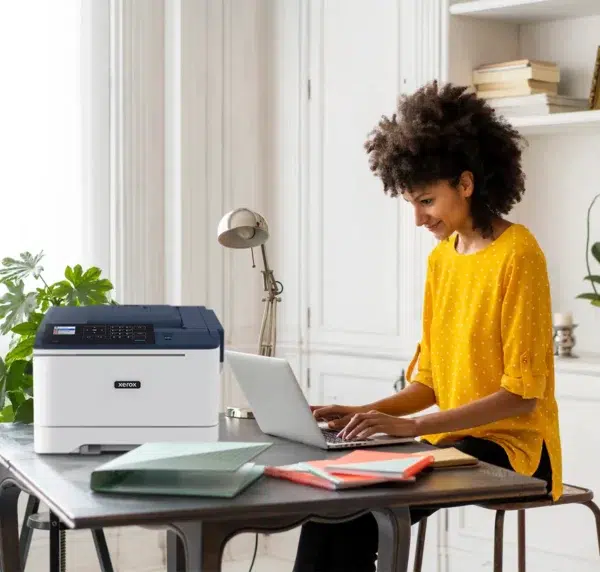
Xerox C310 Colour Printer – Xerox
The Xerox C310 is a colour A4 printer — printing only, with no scanner or copier — built for small workgroups: SMEs, freelancers, professionals, home offices and remote workers, as well as individuals or clients who need professional colour without the functions of a multifunction device. It prints at 33 pages per minute, in colour as in black and white, with a recommended volume of 6,000 pages per month and a maximum cycle of 80,000 images.
Let’s be clear about that figure, because it determines the machine’s lifespan: 6,000 pages a month is the regime of a small workgroup, not a shared print department. If your office exceeds that volume, our advisers will steer you towards a more durable model — better to know before ordering.
Within its scope, the C310 is well built. Its resolution reaches 1200 x 1200 dpi, with image quality enhanced to 4,800 dpi: business documents, presentations and colour materials come out with professional sharpness. The 1 GHz dual-core processor with GPU and one gigabyte of RAM explain its responsiveness: the first colour page lands in 7.2 seconds, the first black-and-white page in 6.7. Duplex is fitted as standard, secure printing is built in, and paper capacity goes from 251 sheets as standard to 901 sheets as an option — with good media tolerance: light, plain, thick and card stock, plus envelopes. Wi-Fi is built in as standard (802.11 b/g/n), with Wi-Fi Direct, alongside Gigabit Ethernet and USB: the machine is placed and connects, with no network cable and no surcharge. Mobile printing covers Apple AirPrint, Mopria and Chromebook. The Smart Start installer allows commissioning without IT support. On security, signed firmware, access controls and confidential printing protect your sensitive documents.
Environmentally, the C310 is among the best certified in our catalogue: EPEAT, ENERGY STAR, Blue Angel — Europe’s most demanding ecolabel — and Xerox’s Green World Alliance programme for recycling used cartridges. For a freelancer or SME bidding on tenders with environmental criteria, that is a case already made.
Compared with the VersaLink C400, its neighbour in our colour printer range, the trade-off is not the one you would expect. The C400 prints slightly faster (35 ppm versus 33), takes more paper (1,250 sheets versus 901) and has a 5-inch touchscreen the C310 lacks. But the C310 keeps two concrete advantages: built-in Wi-Fi as standard — optional, and therefore chargeable, on the C400 — and a complete environmental record, with Blue Angel and Green World Alliance that the C400 does not carry. Home office, small organisation, immediate wireless connection and ESG requirements: C310. A slightly larger team, touchscreen and high paper capacity: C400. And if you need to scan, the C315, its multifunction twin, is the one to look at.
At D&O Partners, the Xerox C310 is available for purchase, rental or leasing, with installation and configuration by our certified technicians, across Belgium. Our maintenance contracts include on-site support and cartridges delivered within 48 hours. Request a quote or come and see it in our Brussels showroom.
FAQ:
What is the difference between the Xerox C310 and the VersaLink C400?
The C400 is slightly faster (35 ppm versus 33), takes more paper (1,250 sheets versus 901) and has a 5-inch touchscreen. The C310 keeps built-in Wi-Fi as standard (optional on the C400) and a complete environmental record with Blue Angel and Green World Alliance, which the C400 does not carry.
Can the Xerox C310 scan or copy?
No. It is a printer: its standard function is printing, with no scanner or copier. If you need those functions, the C315 — its multifunction twin — is the one to look at; our advisers will walk you through its specifications.
What volume is the Xerox C310 designed for?
A recommended volume of 6,000 pages per month, with a maximum cycle of 80,000 images. That is the calibre of a small workgroup or home office. Beyond that, our certified technicians will steer you towards a more durable model.
Is the Xerox C310 an eco-responsible choice?
Yes, and it is among the best certified in our colour range: EPEAT, ENERGY STAR, Blue Angel (Europe’s most demanding ecolabel) and Xerox’s Green World Alliance programme for recycling used cartridges, which D&O Partners manages with you.
VersaLink C400 Versatile, Easy-to-Use Colour Printer – Xerox
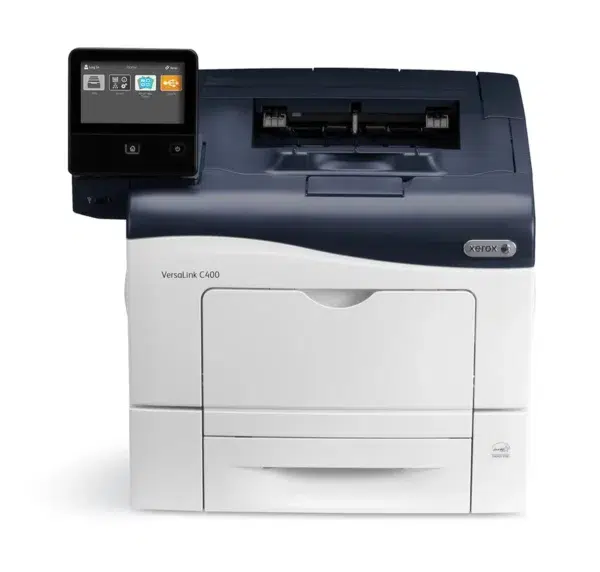
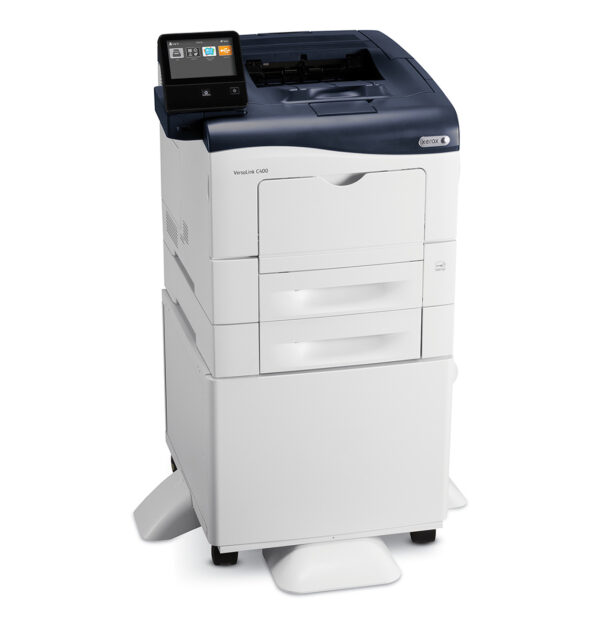
The Xerox VersaLink C400 is a colour A4 printer — printing only, with no scanner or copier — built for small teams of 2 to 10 users: freelancers, firms, agencies, branches and departments — as well as individuals or clients who already have a multifunction device for scanning and want a professional, simple, reliable colour printer. It prints at 35 pages per minute, in colour as in black and white, with a maximum cycle of 85,000 images per month.
Its strength is ease of deployment. Setup requires no IT involvement: a concrete argument when there is no IT department in the organisation. The 5-inch colour touchscreen operates like a mobile device, with no learning curve. ConnectKey technology gives direct access to cloud services — Google Drive, Microsoft OneDrive, Dropbox — and to printing from mobile devices, allowing work from anywhere. Duplex is fitted as standard, and Wi-Fi is available as an option. Paper capacity can reach 1,250 sheets in total thanks to an additional tray, and high-capacity cartridges space out replacements — fewer interruptions, fewer calls to support. On security, the machine prevents unauthorised access, detects malicious behaviour and protects the data passing through it.
Compared with the VersaLink C500, its bigger sister in our catalogue, the difference is purely a matter of calibre. Five-inch screen, duplex as standard, no scanner, EPEAT and ENERGY STAR certifications: all identical. What changes fits in three figures. The C500 prints at 43 pages per minute instead of 35, handles 120,000 images per month instead of 85,000, and targets teams of 5 to 15 people rather than 2 to 10. In other words: the C400 is the right, economical choice for a small organisation; as soon as the team grows or the volume settles in, you need the C500. Our advisers would rather ask about your real volume before the sale — an undersized machine always costs more than a correctly calibrated one.
At D&O Partners, the VersaLink C400 is available for purchase, rental or leasing, with installation and configuration by our certified technicians, across Belgium. Our maintenance contracts include on-site support and cartridges delivered within 48 hours. EPEAT and ENERGY STAR certified, it is covered by the Xerox take-back programme for recycling used consumables. Request a quote or come and see it in our Brussels showroom.
FAQ:
What is the difference between the VersaLink C400 and the VersaLink C500?
A matter of calibre, not of functions. Same 5-inch screen, same standard duplex, same certifications, neither one scans. The C500 prints at 43 ppm versus 35, supports 120,000 images per month versus 85,000, and targets teams of 5 to 15 users versus 2 to 10 for the C400.
Can the VersaLink C400 scan or copy?
No. It is a printer: it prints, with no scanner or copy function. If you need those functions on the same machine, you should look at a multifunction device from our range.
What team size is the VersaLink C400 designed for?
For teams of 2 to 10 users, with a maximum cycle of 85,000 images per month. Note: that figure is a ceiling, not a cruising speed. Our certified technicians will validate the sizing against your real volume before ordering.
Is the VersaLink C400 an eco-responsible choice?
Yes: it is EPEAT and ENERGY STAR certified, its high-capacity cartridges reduce waste and replacement frequency, and D&O Partners pairs it with the Xerox take-back programme for recycling your used consumables.
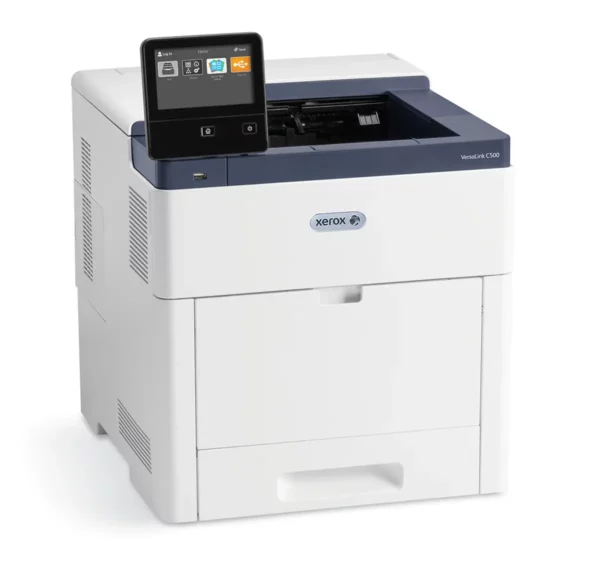
VersaLink C500 Color Laser Printer – Xerox
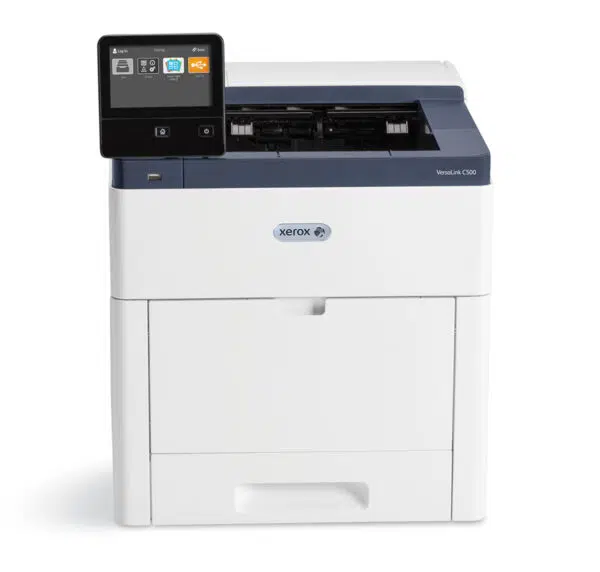
The Xerox VersaLink C500 is a colour A4 laser printer — printing only, with no scanner or copier — built for teams of 5 to 15 users: SMEs, firms, agencies, departments and professionals — as well as individuals or clients who already have a multifunction device for scanning and are looking for a fast, reliable, unobtrusive colour printer. At 43 pages per minute, with a recommended volume of 10,000 pages per month and a maximum cycle of 120,000 images, it is sized for sustained daily use.
Print quality reaches 1200 x 2400 dpi, served by a Hi-Q LED print head. A word on reliability, because here it is structural: the C500 is designed with fewer moving parts. Less mechanism means fewer failure points and a machine that ages better — a criterion our certified technicians have learned to value after twenty years of field work. The customisable 5-inch colour touchscreen operates like a mobile device and lets you build one-touch apps: a repetitive sequence becomes a single button. Connectivity covers the cloud (Google Drive, Microsoft OneDrive, Dropbox), AirPrint and Mopria for mobile printing; note that Wi-Fi is available as an option and is not fitted as standard. The Xerox Easy Assist app simplifies installation, monitoring and management from a smartphone. The output tray holds 500 sheets, and paper capacity can be extended with a high-capacity feeder and additional trays. Security covers prevention of unauthorised access and protection of sensitive data.
Compared with the VersaLink C505, our colour A4 multifunction device, the comparison is instructive: it is the same engine. Same speed (43 ppm), same resolution (1200 x 2400 dpi), same maximum cycle (120,000 images), same audience. The C505 adds copying, scanning and email — plus fax in the V/X configuration — and a 7-inch screen instead of 5. The C500 only prints, for a lower budget and a smaller footprint. The choice is therefore not about performance: if your department already has a multifunction device for scanning, the C500 does exactly the job expected without paying twice for a scanner. If you need a single machine that does everything, take the C505.
At D&O Partners, the VersaLink C500 is available for purchase, rental or leasing, with installation and configuration by our certified technicians, across Belgium. Our maintenance contracts include on-site support and cartridges delivered within 48 hours. EPEAT and ENERGY STAR certified, it is covered by the Xerox take-back programme for recycling used consumables. Request a quote or come and see it in our Brussels showroom.
FAQ:
What is the difference between the VersaLink C500 and the VersaLink C505?
It is the same engine: 43 ppm, 1200 x 2400 dpi, a 120,000-image maximum cycle, the same audience of 5 to 15 users. The C505 adds copying, scanning, email (and fax in the V/X configuration) plus a 7-inch screen instead of 5. The C500 prints only, for a lower budget.
Can the VersaLink C500 scan or copy?
No. It is a printer: it prints, with no scanner or copy function. If you need those functions on the same machine, you should look at a multifunction device such as the VersaLink C505.
What team size is the VersaLink C500 designed for?
For teams of 5 to 15 users, with a recommended volume of 10,000 pages per month and a maximum cycle of 120,000 images. Our certified technicians will validate the sizing against your actual usage.
Is the VersaLink C500 an eco-responsible choice?
Yes: it is EPEAT and ENERGY STAR certified, its design with fewer moving parts extends its lifespan, and D&O Partners pairs it with the Xerox take-back programme for recycling your used consumables.
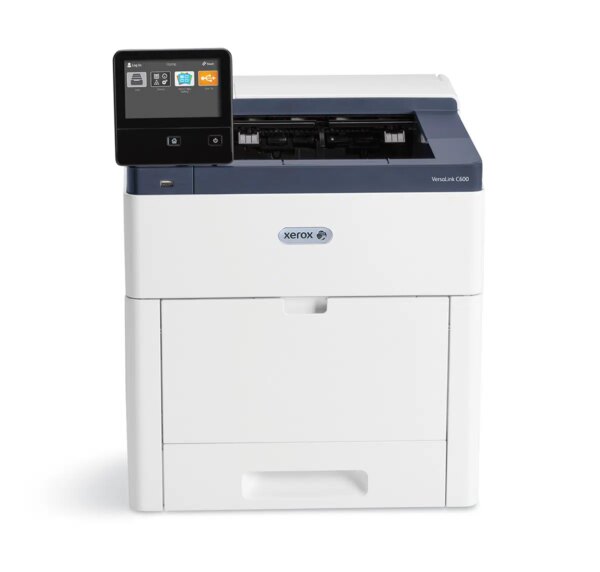
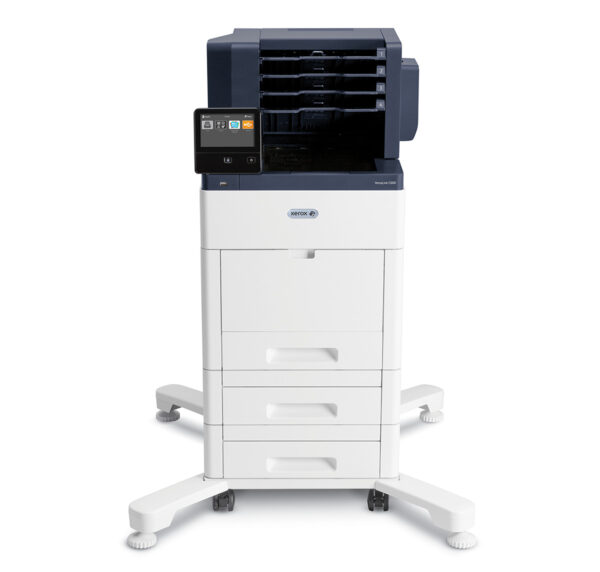
VersaLink C600 Printer – Xerox
The Xerox VersaLink C600 is a colour A4 laser printer — printing and cloud, with no scanner or copier — built for teams of 10 to 20 users: sales departments, firms, agencies, teams that produce documents in volume and already have a multifunction device for scanning. At 53 pages per minute, with 700 sheets of standard capacity and a maximum cycle of 120,000 images per month, it is made to absorb peaks without slowing the queue.
Quality matches throughput: 1200 x 2400 dpi, served by a Hi-Q LED print head and robust hardware with fewer moving parts — less mechanism, fewer failures. The customisable capacitive colour touchscreen operates like a smartphone and lets you build in-house apps to automate repetitive tasks in a few taps. Connectivity covers cloud services (Google Drive, Microsoft OneDrive, Dropbox), mobile printing and NFC (tap the phone to pair); Gigabit Ethernet and USB 3.0 are standard, while Wi-Fi and Wi-Fi Direct are added via an optional kit — with simultaneous wired and wireless connections supported. On security, protection covers prevention of unauthorised access and detection of suspicious behaviour. The Xerox Easy Assist app allows remote monitoring of performance and consumable levels, and self-help support reduces calls to the IT department.
Where the C600 truly stands apart is its optional finishing, rare at this format: a finishing module with stapling up to 50 sheets and a 500-sheet stacker, or a four-bin mailbox (100 sheets per bin) to sort jobs automatically by user or department. A team producing stapled reports, or sharing one printer between several people, gains time every day. A productivity kit with a 320 GB hard drive is also available as an option.
Two configurations exist: the C600V/N and the C600V/DN. The letter “D” denotes automatic duplex, fitted as standard on the DN — the configuration to choose in nearly every case, given how standard duplex printing has become, in cost as in paper footprint. Our advisers confirm the exact configuration with you before ordering.
Compared with the VersaLink C505, our colour A4 multifunction device, the choice is not about speed but about the job. The C505 does everything — print, copy, scan, email, fax as an option — at 43 ppm. The C600 only prints, but it does so at 53 ppm, with 700 sheets of standard capacity and finishing and sorting options the C505 does not offer. Looking for a single machine that replaces everything: C505. Already have a multifunction device and need a fast, durable printer that can staple: C600.
At D&O Partners, the VersaLink C600 is available for purchase, rental or leasing, with installation and configuration by our certified technicians, across Belgium. Our maintenance contracts include on-site support and cartridges delivered within 48 hours. EPEAT and ENERGY STAR certified, it is covered by the Xerox take-back programme for recycling used consumables. Request a quote or come and see it in our Brussels showroom.
FAQ:
Can the VersaLink C600 scan or copy?
No. The C600 is a printer: its standard functions are printing and cloud. If you need scanning, copying or email on the same machine, you should look at a multifunction device such as the VersaLink C505.
What is the difference between the VersaLink C600 and the VersaLink C505?
The C600 prints faster (53 ppm versus 43), offers 700 sheets of standard capacity and finishing options (50-sheet stapling, four-bin mailbox) the C505 lacks — but it only prints. The C505, though slower, also copies, scans, emails and faxes as an option. Resolution (1200 x 2400 dpi) and maximum cycle (120,000 images) are identical.
What do the C600V/N and C600V/DN configurations mean?
The “D” denotes automatic duplex, standard on the C600V/DN. For the vast majority of professional uses, that is the configuration to prefer: it halves paper consumption. Our advisers will validate the exact configuration with you before ordering.
Is the VersaLink C600 an eco-responsible choice?
Yes: it is EPEAT and ENERGY STAR certified, its design with fewer moving parts extends its lifespan, and D&O Partners pairs it with the Xerox take-back programme for recycling your used consumables.
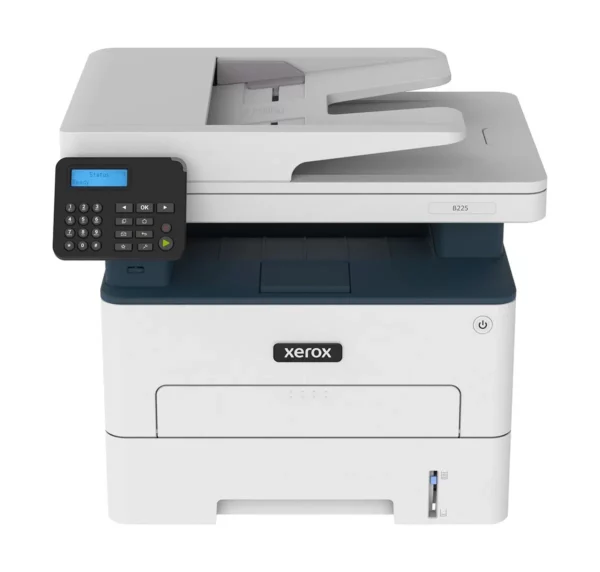
Black-and-White B225 Multifunction Printer – Xerox
The Xerox B225 is a compact monochrome A4 multifunction printer built for individual workstations, very small organisations and home offices: freelancers, professionals, remote workers, satellite offices — as well as individuals or clients who need to print, copy and scan on a single machine, in a minimal footprint.
A word on sizing, because it determines satisfaction: the B225 prints at 34 pages per minute, but its recommended volume is 2,500 pages per month, for a maximum cycle of 30,000 images. This is a workstation machine, not a shared departmental one. If your office prints several thousand pages a month, the B305 or B315 will be better sized — and our advisers will tell you so before the sale rather than after the first breakdown.
Within its scope, it lacks nothing essential. Two trays for a total of 251 sheets, duplex as standard, a 50-sheet automatic document feeder, direct scanning to email or desktop. Wi-Fi is built in (802.11 b/g/n), with Wi-Fi Direct and secure wireless printing, alongside Ethernet and USB. Mobile compatibility covers AirPrint, Mopria and Chromebook. It handles PostScript 3 and PCL5e/6, ensuring integration into an existing office environment. Setup requires no IT assistance thanks to Xerox Smart Start, and the Xerox Easy Assist app lets you manage it from a smartphone — two arguments that count when there is no IT department in the house. Security protects your sensitive data and documents, and the Xerox Workflow Central platform is available as an option for more elaborate document workflows. High-yield toner cartridges keep running costs low.
Compared with the Xerox B235, its direct neighbour, the comparison fits on one line: the B235 is the B225 with fax (plus a 2.8-inch touchscreen and a USB port for a stick). Speed, recommended and maximum volumes, paper capacity, print languages, Wi-Fi and environmental certifications are rigorously identical. The choice is therefore binary: if fax is useful to you — legal or medical professions, dealings with certain government bodies — take the B235. If it is of no use, the B225 does exactly the same job for a lower budget.
At D&O Partners, the Xerox B225 is available for purchase, rental or leasing, with installation and configuration by our certified technicians, across Belgium. Our maintenance contracts include on-site support and cartridges delivered within 48 hours. EPEAT and ENERGY STAR certified, it is covered by Xerox’s Green World Alliance programme for recycling used cartridges. Request a quote: we’ll tell you honestly whether this is the machine you need.
FAQ:
What is the difference between the Xerox B225 and the Xerox B235?
The B235 adds fax, a 2.8-inch touchscreen and a USB port for a stick. Everything else is identical: 34 ppm, 2,500 recommended pages per month, a 30,000-image maximum cycle, 251-sheet capacity, built-in Wi-Fi and the same certifications. Need fax: B235. Otherwise: B225, cheaper for the same job.
What volume is the Xerox B225 designed for?
A recommended volume of 2,500 pages per month, with a maximum cycle of 30,000 images. It is a workstation or very small organisation machine. Beyond that, our certified technicians will steer you towards a B305 or B315, which are more durable.
Does the Xerox B225 have Wi-Fi?
Yes, Wi-Fi is built in as standard (802.11 b/g/n), with Wi-Fi Direct and secure wireless printing, alongside Ethernet and USB. It is compatible with AirPrint, Mopria and Chromebook.
Is the Xerox B225 an eco-responsible choice?
It is EPEAT and ENERGY STAR certified, its high-yield cartridges cut cost per page and waste, and it is covered by Xerox’s Green World Alliance programme for recycling used cartridges, which D&O Partners manages with you.